
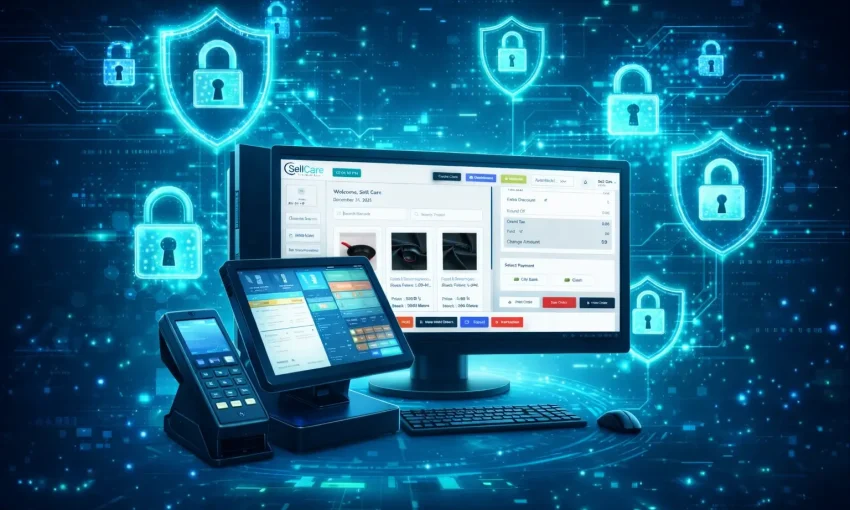
Point of Sale (POS) systems are the backbone of modern retail and hospitality businesses, yet many companies make critical mistakes when selecting, implementing, or managing their 7 Common POS Software. These errors can lead to decreased efficiency, lost revenue, poor customer experiences, and operational headaches that could have been easily prevented.
Whether you’re a small retailer just starting out or an established business looking to upgrade your current system, understanding these common pitfalls will help you make informed decisions and maximize your investment in POS technology.
1. Choosing the Wrong POS System for Your Business Type
The Mistake: Many businesses select POS software based solely on price or popularity without considering their specific industry requirements and operational needs.
Why It’s Problematic: A restaurant needs different features than a clothing boutique. Using generic software that doesn’t align with your business model leads to inefficient workflows, frustrated staff, and missed opportunities for growth.
How to Avoid It: Before shopping for POS software, conduct a thorough analysis of your business operations. Consider factors like inventory management needs, customer flow patterns, payment methods, reporting requirements, and integration capabilities. Restaurant businesses need table management and kitchen display systems, while retail stores require robust inventory tracking and customer relationship management tools.
2. Ignoring Integration Capabilities
The Mistake: Selecting POS software that doesn’t integrate well with existing business systems like accounting software, e-commerce platforms, or inventory management tools.
Why It’s Problematic: Poor integration creates data silos, requiring manual data entry across multiple systems. This increases the risk of errors, wastes valuable time, and makes it difficult to get a comprehensive view of your business performance.
How to Avoid It: Create a list of all current business software and future tools you plan to implement. Ensure your chosen POS system offers robust API connections or native integrations with these platforms. Popular integrations include QuickBooks for accounting, Shopify for e-commerce, and various payment processors.
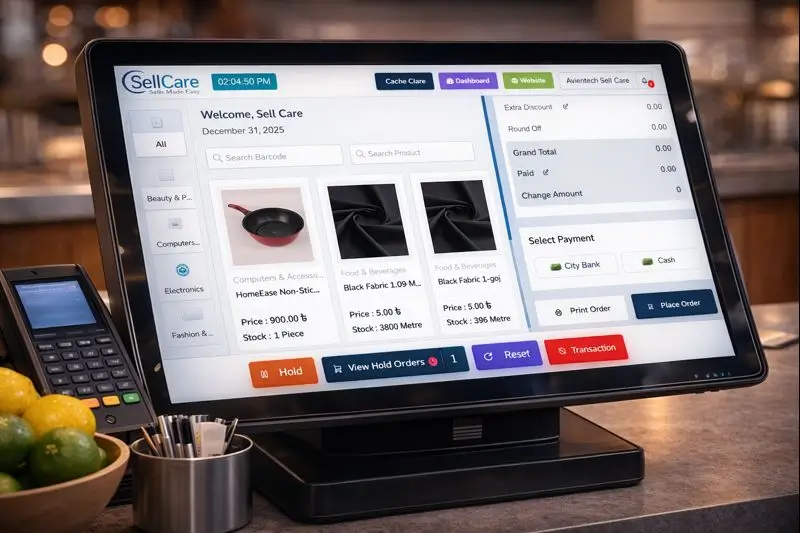
3. Inadequate Staff Training
The Mistake: Implementing new POS software without providing comprehensive training to all staff members who will use the system.
Why It’s Problematic: Untrained staff make more mistakes, process transactions slower, and cannot utilize advanced features that could benefit the business. This leads to longer customer wait times, billing errors, and overall inefficiency.
How to Avoid It: Develop a structured training program that covers all essential functions of your POS system. Provide hands-on practice time, create quick reference guides, and designate power users who can help troubleshoot issues. Consider ongoing training sessions when new features are added or new employees are hired.
4. Overlooking Security Features
The Mistake: Prioritizing functionality over security when selecting POS software, or failing to implement proper security protocols.
Why It’s Problematic: POS systems handle sensitive customer payment information, making them attractive targets for cybercriminals. A security breach can result in financial losses, legal liabilities, damaged reputation, and loss of customer trust.
How to Avoid It: Ensure your POS software is PCI DSS compliant and includes features like end-to-end encryption, tokenization, and secure user authentication. Regularly update software, use strong passwords, and implement role-based access controls. Consider additional security measures like firewalls and regular security audits.
5. Failing to Plan for Scalability
The Mistake: Choosing POS software that meets current needs but cannot accommodate business growth or changing requirements.
Why It’s Problematic: As businesses expand, they may need additional locations, more complex inventory management, advanced reporting features, or integration with new tools. Outgrowing your POS system means costly migrations and potential disruption to operations.
How to Avoid It: Think beyond your immediate needs and consider your business goals for the next 3-5 years. Look for POS systems that offer modular features, multiple pricing tiers, and the ability to add locations or users as needed. Cloud-based solutions often provide better scalability than traditional on-premise systems.

6. Neglecting Regular Data Backups and Updates
The Mistake: Assuming that POS data is automatically protected without implementing proper backup procedures or keeping software updated.
Why It’s Problematic: System crashes, hardware failures, or cyber attacks can result in permanent data loss, including sales records, inventory information, and customer data. Outdated software may have security vulnerabilities or lack important features.
How to Avoid It: Establish a regular backup schedule and verify that backups are working properly. Cloud-based POS systems typically handle backups automatically, but on-premise solutions require manual backup procedures. Enable automatic updates when possible, or create a schedule for regular software updates and security patches.
7. Insufficient Reporting and Analytics Utilization
The Mistake: Using POS software primarily for transaction processing without leveraging its reporting and analytics capabilities to make data-driven business decisions.
Why It’s Problematic: Modern POS systems generate valuable insights about sales trends, customer behavior, inventory performance, and staff productivity. Ignoring this data means missing opportunities to optimize operations, increase profitability, and improve customer satisfaction.
How to Avoid It: Familiarize yourself with all reporting features available in your POS system. Set up regular reporting schedules to review key performance indicators like best-selling products, peak sales times, average transaction values, and inventory turnover rates. Use these insights to make informed decisions about staffing, inventory management, marketing strategies, and business expansion.
Making the Right Choice for Your Business: 7 Common POS Software
Avoiding these common POS software mistakes requires careful planning, thorough research, and ongoing attention to your system’s performance. The right 7 common POS software should not only handle transactions efficiently but also provide valuable insights that help grow your business.
When evaluating POS options, consider partnering with experienced software providers who understand your industry’s specific needs. Look for companies that offer comprehensive support, regular updates, and proven track records of helping businesses succeed.
Remember that implementing POS software is not a one-time decision but an ongoing relationship that requires attention, maintenance, and optimization. By avoiding these common mistakes and choosing the right system for your needs, you’ll create a foundation for improved efficiency, better customer experiences, and sustainable business growth.
Investing time in making the right POS software decision today will pay dividends in operational efficiency, customer satisfaction, and business success for years to come.


